Setting Up a Minimal-Permission API Key on Bitfinex: A Required Step Before Handing Over Auto-Lending to Kindo
Learn how to create a Bitfinex API key with lending and read-only permissions and provide it to Kindo, so Kindo can lend on your behalf while the key has no withdrawal permission.

This guide explains how to create an API key on Bitfinex that only has lending and read-only permissions, then submit it to Kindo. Once set up, Kindo can execute lending on your behalf, and the key has no withdrawal permission. New to Kindo? Start with What Is Kindo.
Before you start, make sure you've registered a Bitfinex account, enabled two-factor authentication (2FA), and completed the verification lending requires (for accounts created after March 1, 2022, lending requires at least Intermediate verification). If not, start with the Bitfinex KYC Verification Guide. For an overview of the whole lending process, see the Complete Bitfinex Lending Guide.
Go to the API Keys Page
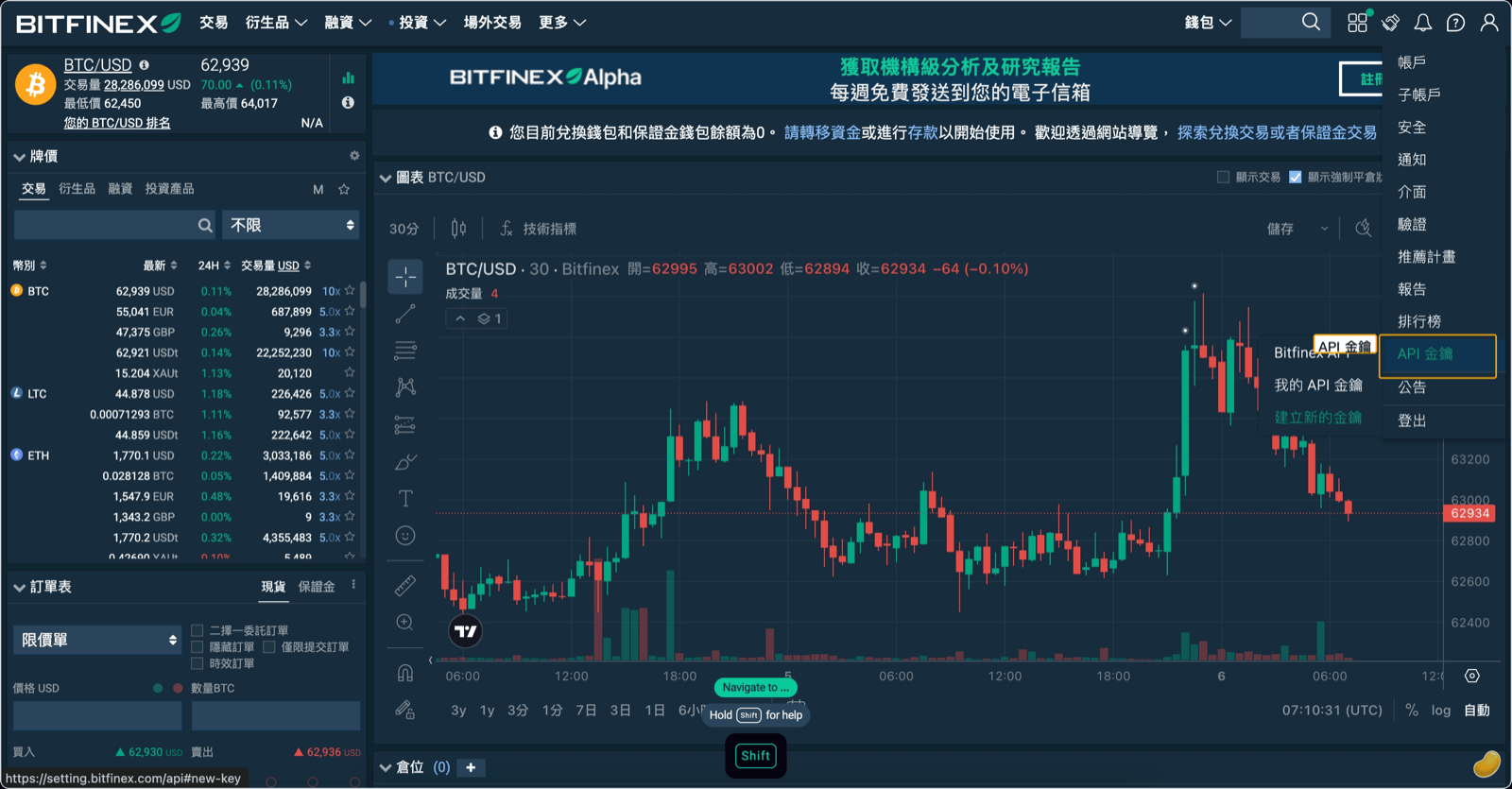
After logging into Bitfinex, go to the API Keys page (Bitfinex redesigned its settings page in October 2026, so follow what you see on screen for where it is) and click "Create New Key" to begin. Per Bitfinex's API key guide, what follows is three setup screens (label and IP restriction, read permissions, edit permissions), then you generate the key, confirm with 2FA, and click the email confirmation link.
Configure Key Permissions
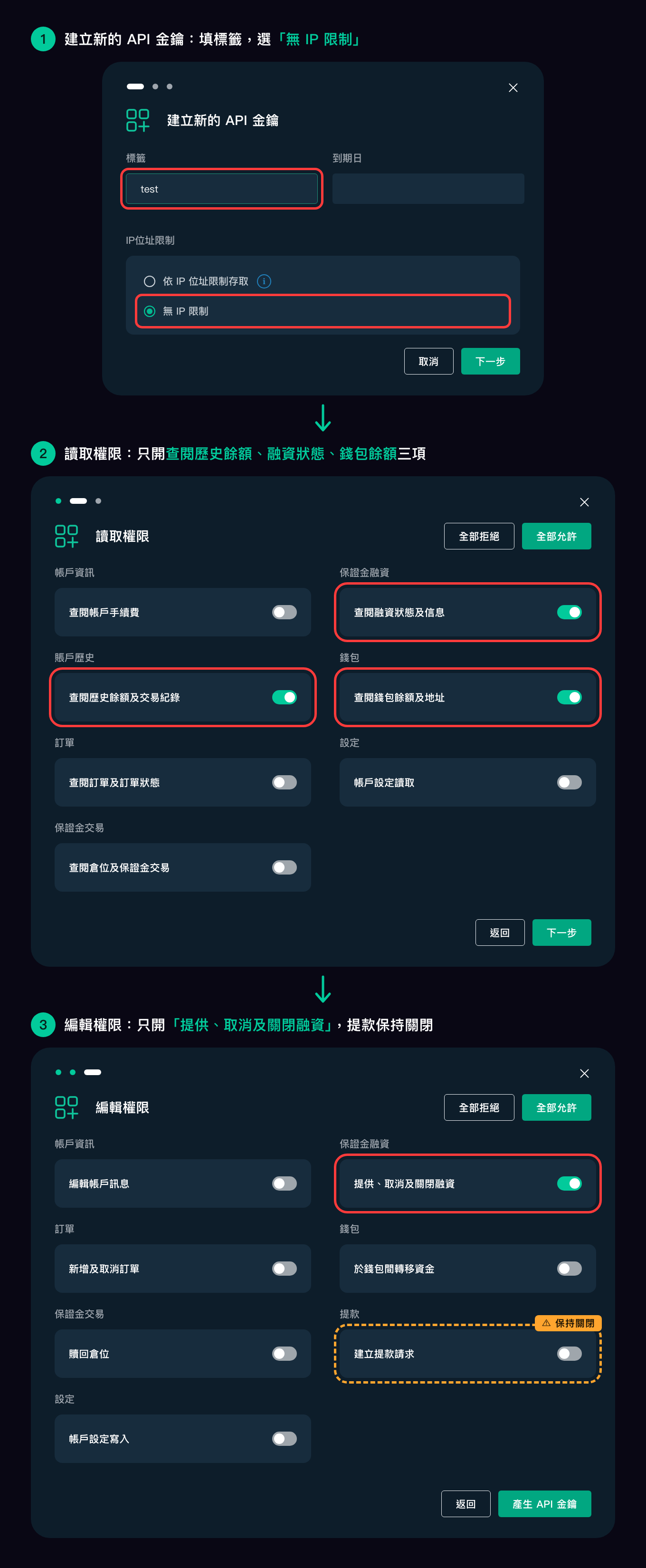
This step is the core of the entire process. Creating a key takes three setup screens; set them as shown below. The red boxes are the settings to make; keep everything else off. The screenshot shows the Traditional Chinese interface, and the item names below are translations, so go by what's on your screen.
Screen 1: Create a new API key
- Label: any name you'll recognize, such as "Kindo"
- Expiry date: can be left empty
- IP address restriction: choose "No IP restriction"
Screen 2: Read permissions (turn on only these three)
| Category | Item | Setting |
|---|---|---|
| Account History | View historical balances and trade history | On |
| Margin Funding | View funding status and information | On |
| Wallets | View wallet balances and addresses | On |
| Account Info, Orders, Margin Trading, Settings | View account fees, view orders and order status, view positions and margin trading, read account settings | Off |
Screen 3: Edit permissions (turn on only one)
| Category | Item | Setting |
|---|---|---|
| Margin Funding | Offer, cancel, and close funding | On |
| Withdrawal | Create withdrawal request | Off (never enable) |
| Wallets | Transfer funds between wallets | Off |
| Account Info, Orders, Margin Trading, Settings | Edit account info, create and cancel orders, claim positions, write account settings | Off |
Withdrawal permission must remain off. This is the most important security measure: Withdrawals is a separate permission, and with it off, the key can't be used to withdraw funds. Kindo does not need withdrawal permission to perform lending operations.
Confirm Key Generation with 2FA
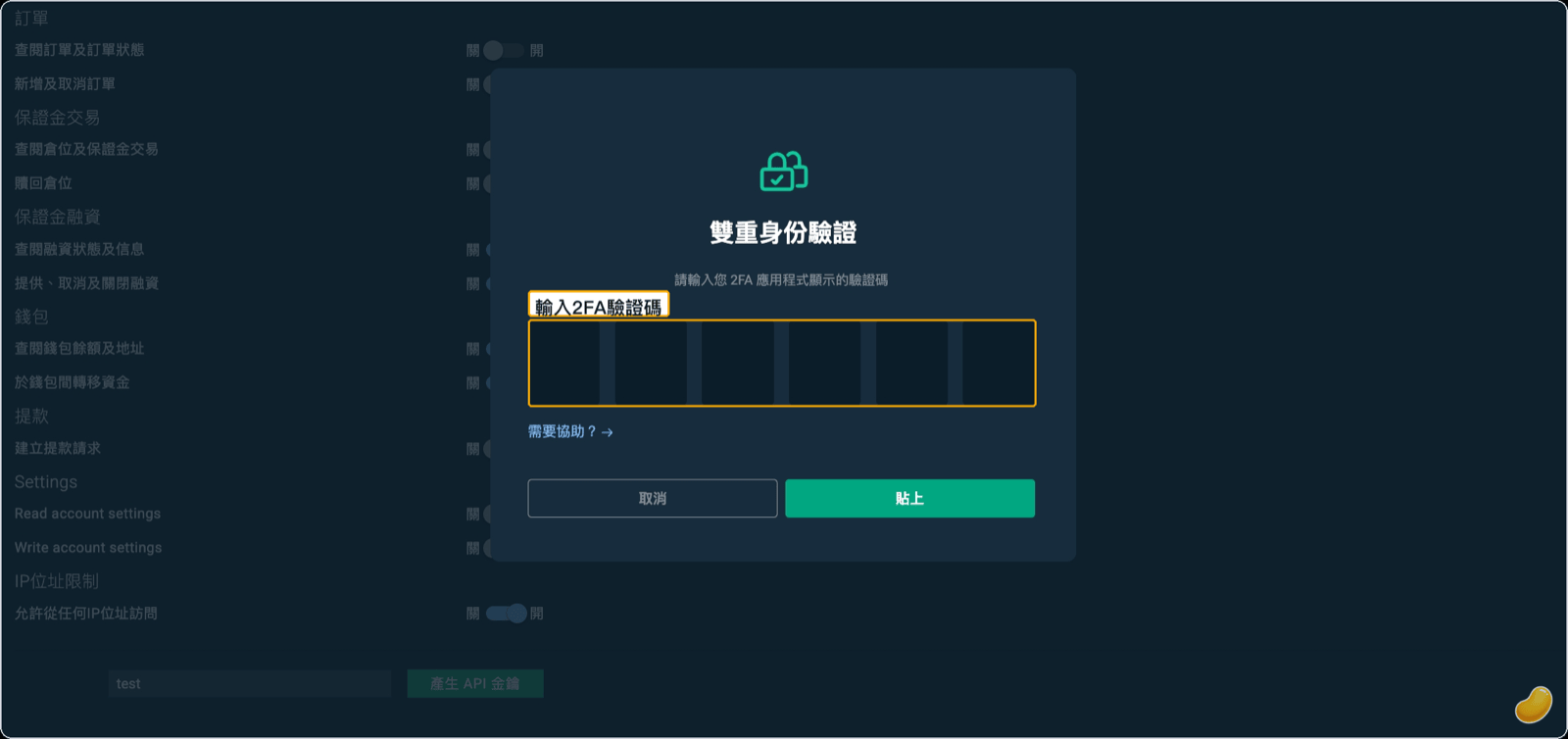
Once all three screens are set correctly, click "Generate API Key" on the edit permissions screen. Bitfinex will require two-factor authentication (2FA) to confirm this action — enter the code from your authenticator app (or use a U2F device) and submit.
Confirm Key Creation via Email
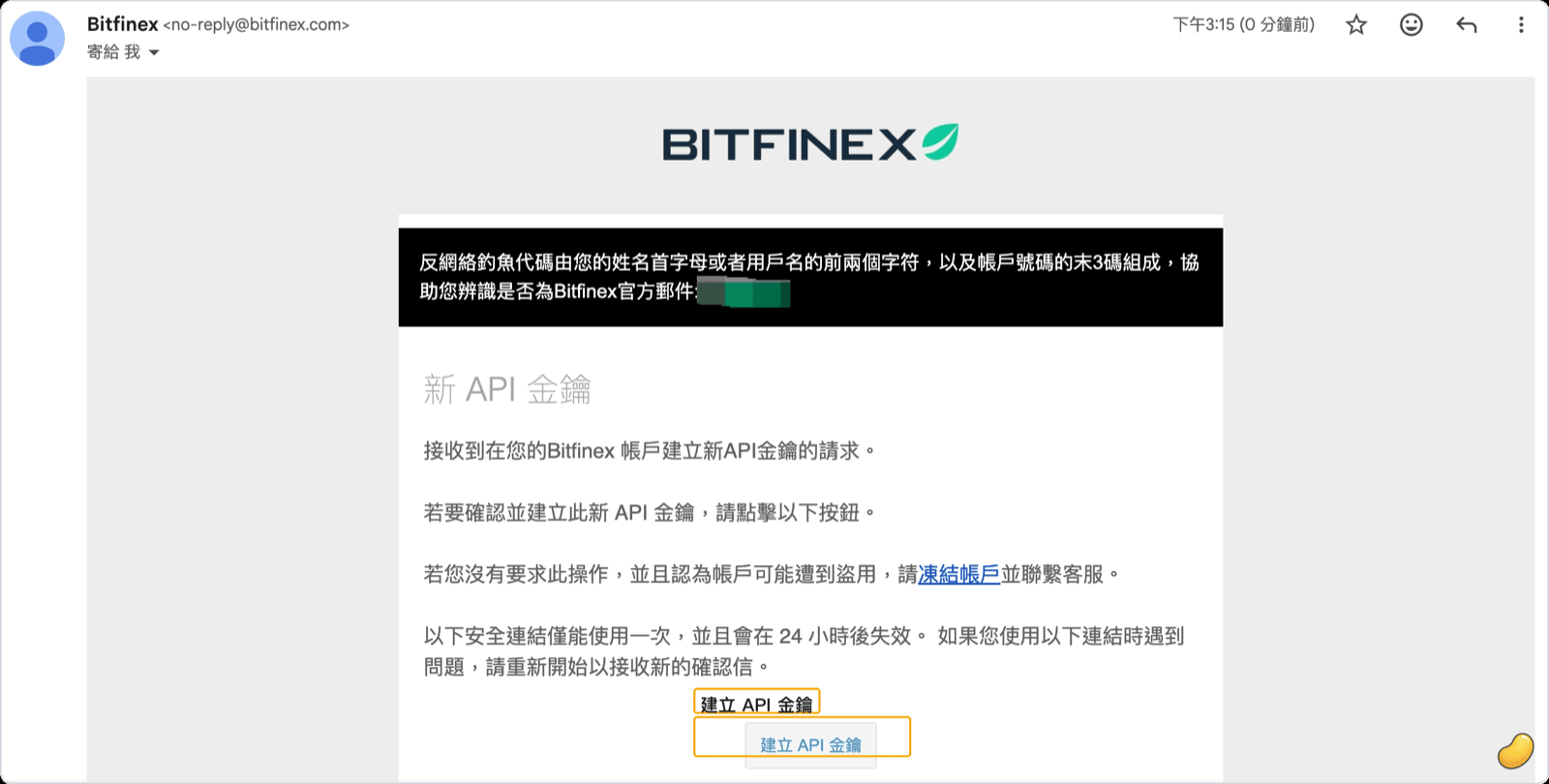
After submitting, Bitfinex will send a confirmation email to your login address. Open the email and open the confirmation link in the same browser — the key will only be officially created and activated once confirmed.
Save Your Key and Secret
After email confirmation, the Bitfinex page will display your API Key and API Secret.
The API Secret is shown only once on this screen and cannot be viewed again after you leave the page. Copy it immediately and store it somewhere secure (such as a password manager). If you fail to save it in time, you'll need to revoke this key and create another.
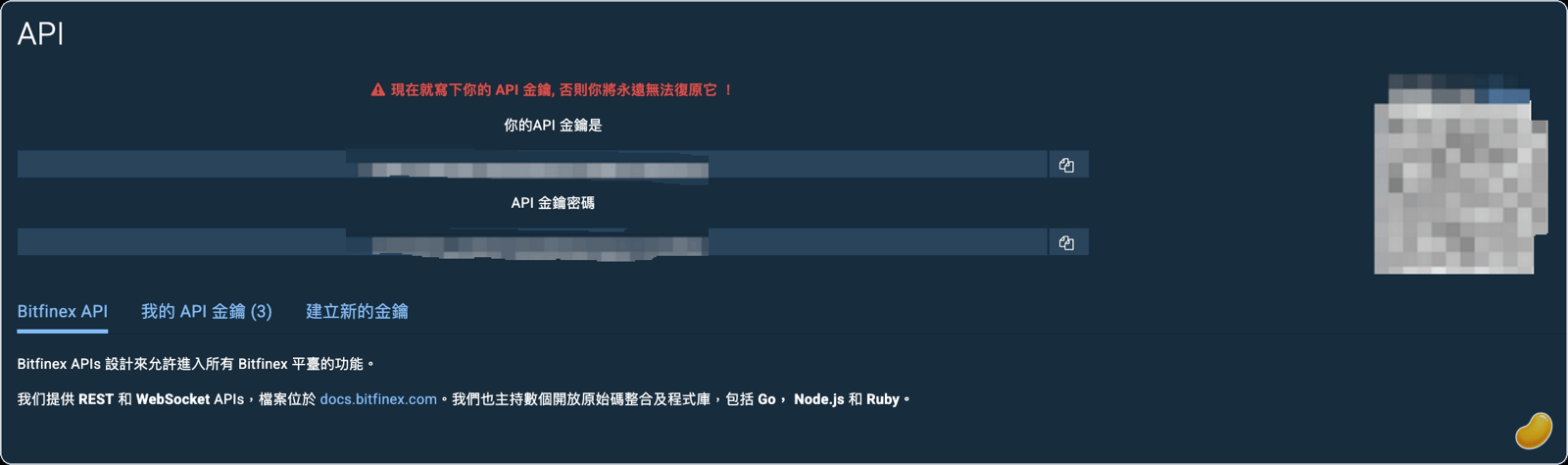
The next step is to enter this key into Kindo, complete the connection setup, and start auto-lending.
After Connecting: Kindo Exclusively Manages Lending for That Currency
Once you hand a key over to Kindo, don't place manual funding offers on the same Bitfinex account, in the same currency, that key is managing. As soon as a (Bitfinex Account ID + currency) pair is under Kindo's control, every open funding offer on that account for that currency is treated as belonging to the bot — whether Kindo placed it or you did manually.
This matters most when you pause the bot, when you change the max days or reserved funds while the bot is running, or when there are too many open offers in that currency and they need a refresh: Kindo will cancel every open offer in that currency at that point, including anything you placed manually. If you want to lend manually, do it in a different currency so it stays outside Kindo's managed scope.
FAQ
What if I selected the wrong permissions?
You can edit the permissions of an existing key: on the API Keys page, under My API Keys, click Permissions → Edit, make your changes, click Update Permissions, and confirm with 2FA. You can also revoke the key and create a new one. Kindo verifies key permissions during connection: a key carrying withdrawal permission is rejected until you turn that permission off or recreate the key, and a key missing any required permission is also blocked, with each missing item listed. Non-essential write permissions such as order placement or wallet-to-wallet transfer won't stop the key from connecting, but Kindo will prompt you to turn them off to reduce risk — just edit the permissions to match the list above.
What if I didn't save the API Secret in time?
The Secret is not displayed again after leaving the generation page, and it cannot be retrieved afterward. If you missed it, simply revoke that key and create another.
How should I configure the IP restriction?
This guide sets the option to "No IP restriction." If you have a fixed server IP and want tighter control, you can restrict access to specific IPs (up to 20) — but make sure Kindo's outbound IP is included in the allowlist, or lending instructions won't be able to reach Bitfinex.
Next step: With your API key created, prepare your funds — deposit, convert, and transfer to the Funding wallet so you have principal to lend.
Disclaimer: This article is for informational purposes only and does not constitute investment, financial, or tax advice, nor is it a solicitation. Cryptocurrency and lending involve risk, returns fluctuate and are not guaranteed, and principal loss is possible. Lending rates are determined by market supply and demand, and past performance does not indicate future results. Please assess your own risk; consult a professional for tax matters.
